Tune every string with the capo-aware guitar tuner
Use the local microphone tuner for standard, alternate, seven-string, and capo-relative guitar tuning.
Access: Free. Microphone audio is processed locally in your browser and is never uploaded.
Open tuner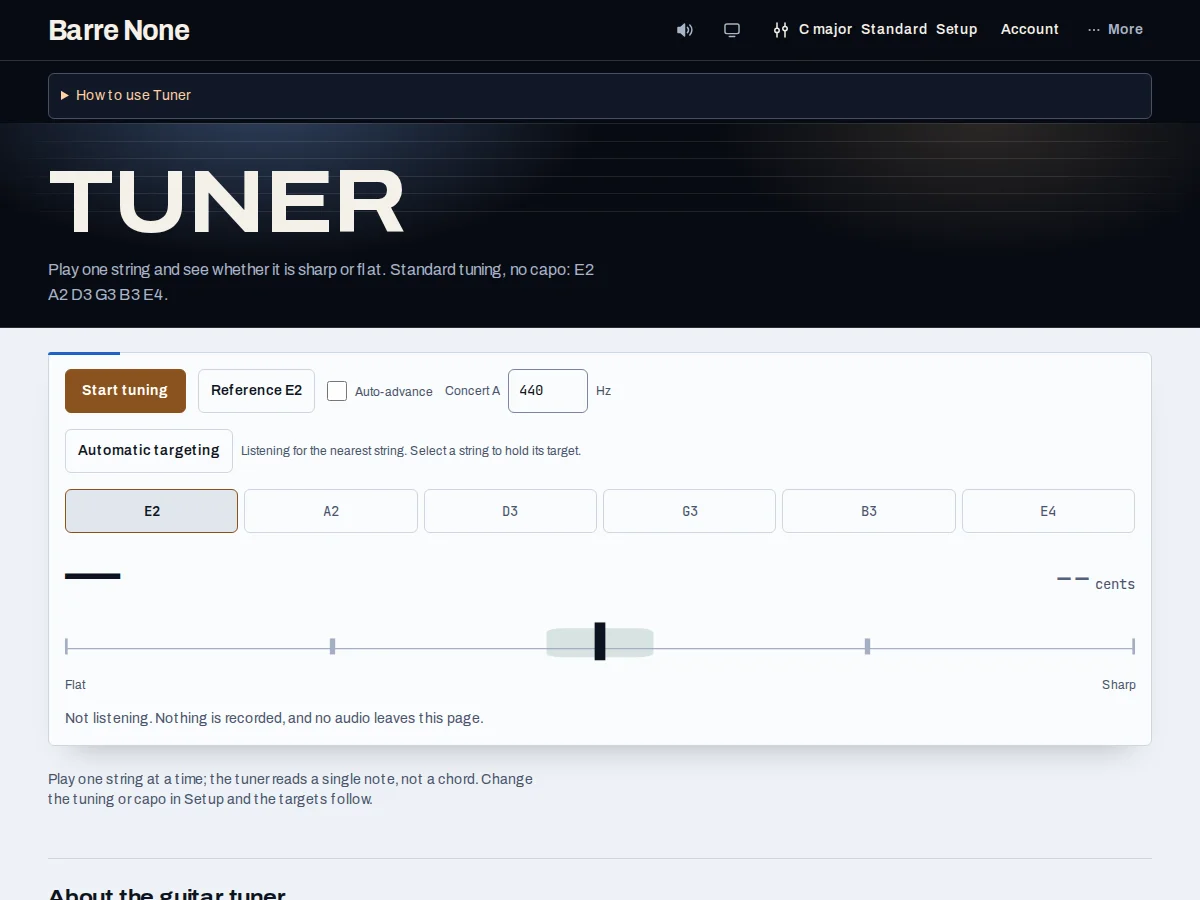
Get started
- Set your tuning and capo in Setup before tuning. The target pitches on this page update to match them.
- Choose a Concert A reference from 432–445 Hz if your ensemble uses something other than the default 440 Hz.
- Press Start tuning and allow microphone access when the browser asks.
- Play one open string at a time, letting the note ring while the target and cents reading settle.
- Bring the needle to the center. The explicit In tune status means the pitch is within ±5 cents.
- Press Stop when finished; the input stream and microphone indicator are released.
How it works
Target the right string
Automatic targeting highlights the string the detector hears. Select a string to hold that target while you tune, then choose Automatic targeting to return to detection. A partial capo raises only covered strings, so the targets are not simply the uncapoed tuning. The displayed cents value tells you how far sharp or flat the sounding pitch is from the selected target.
Safe, practical listening
The tuner is monophonic: mute the other strings and play an open string rather than a chord. It needs a secure connection and microphone permission. Audio stays in the page; it is passed through an input-only detector and never connected to the speakers. A reference-tone button can sound the selected pitch, but starting the microphone stops output to prevent feedback.
- Low fundamentals below the detector range may need to be checked at their octave.
- The optional auto-advance moves only after a stable in-tune reading, not after one noisy frame.
Example: capo 2 in standard tuning
- Put a full capo at fret 2 on your guitar. In Setup, choose Standard tuning and capo 2 to match.
- Start the tuner and select the low E target if Automatic targeting has not found it.
- Tune until the target reads F#2 and the status says In tune.
What to expect: The low E string sounds F#2 at the capo; the open A string target is B2 and the open D string target is E3. The tuner follows the capo rather than offering uncapoed targets.
Troubleshooting
The browser says microphone access was blocked.
Allow microphone access in the site settings, then press Start tuning again. Permission is requested only after that explicit action.
The reading jumps between strings.
Mute neighboring strings and pluck one open string at a time. Select a manual target to hold the intended string while you finish.
A phone tested over a laptop IP says the tuner is unavailable.
Use HTTPS or localhost. Browsers generally refuse microphone access from an insecure context.