Find a song key that fits your vocal range
Compare guitar-friendly song keys using your comfortable vocal range and the melody’s low and high notes, with capo advice for each result.
Access: Finding keys, remembering a voice profile, and hearing guide tones are free. Applying a result to a saved song or set performance requires Pro.
Open vocal-range key finder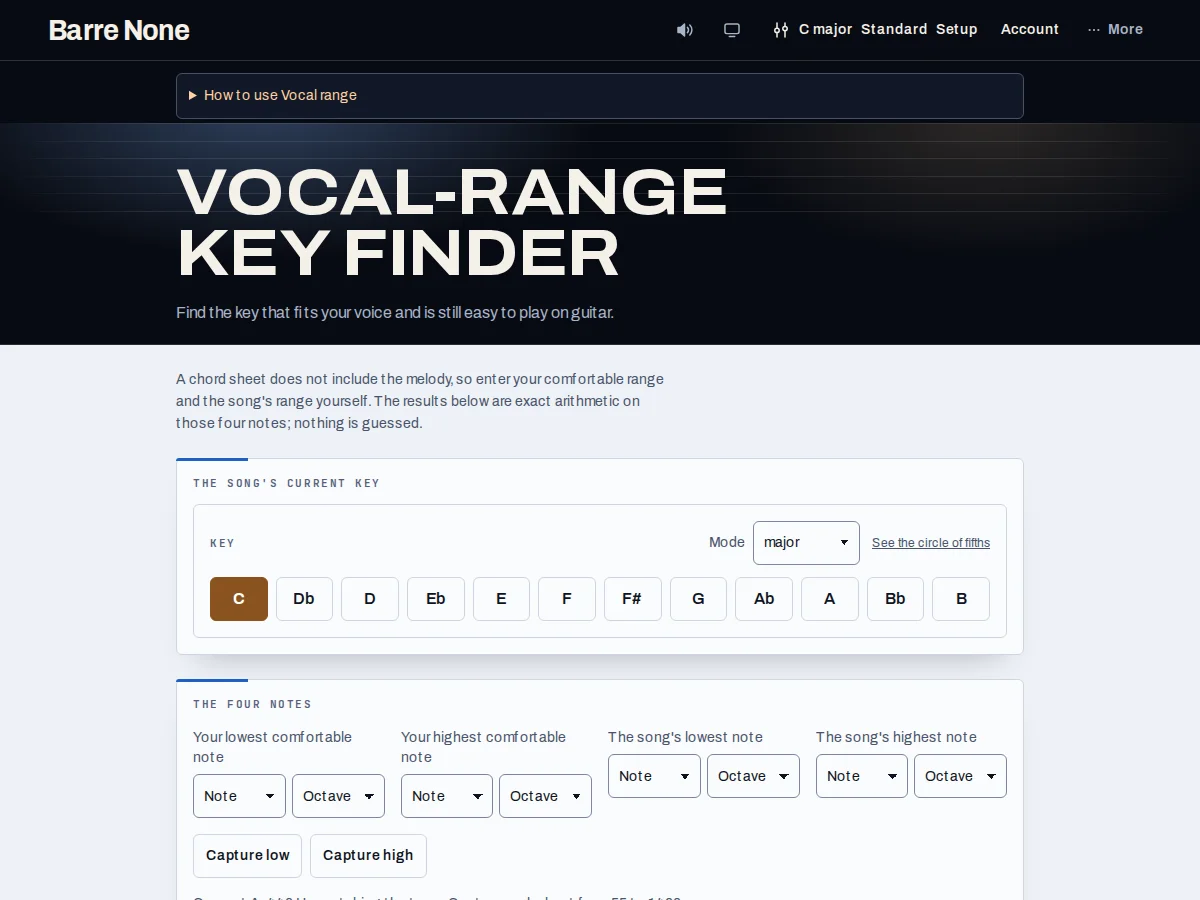
Get started
- Select the song’s current key and mode. The melody notes you enter next must belong to this version of the song.
- Enter Your lowest comfortable note and Your highest comfortable note, including octave numbers. Use Capture low or Capture high if you want to check a sustained note through the microphone.
- Enter The song’s lowest note and The song’s highest note. A chord sheet alone cannot supply these; use a melody you know or reviewed saved song notes.
- Read the recommended key, its fit description, and capo shapes. Compare the other rows instead of assuming the first row is right for every passage.
- Use Hear in a candidate key to audition the supplied guide tones. Sing the complete song before settling on the key.
- Choose Remember my range to reuse your comfortable endpoints on this browser. Applying a recommendation to a saved song or set is a separate Pro action.
How it works
What the finder calculates
The finder moves the supplied melody endpoints by the same interval into each candidate key, then checks whether both notes fit inside your comfortable range. It favors keys with at least two semitones of room at each end, then compares guitar playability. Marginal fits and misses remain visible with their actual limits.
A range check cannot judge how long a melody sits high, how vowels feel, or whether a passage is tiring. The generated guide tones are the supplied low/high notes and reviewed high passages, not a reconstruction of the melody.
Voice profile and saved song notes
Remember my range saves your singer endpoints, not the song’s melody. A shared link containing an explicit singer range takes priority when opened. Forget saved range removes the remembered profile without erasing notes already in the current link.
If a saved song has reviewed vocal-demand notes, choose Use saved song notes to bring them into the calculation. Changed or conflicting song notes need review first. Capture requests microphone access only after your action and retains note information rather than an audio recording.
Example: lower a C-major song by two semitones
- Set the current song key to C major.
- Enter a comfortable voice range of G2 to E4 and melody endpoints of D3 to E4.
- Compare the Bb-major candidate with C major. Lowering by two semitones moves the melody to C3–D4.
- Listen to the candidate guide tones and try the full song using its suggested capo shapes.
What to expect: Bb leaves two semitones below your upper limit, while C reaches it exactly. Bb is a useful candidate to try; the complete ranking also considers other keys and guitar playability.
Troubleshooting
No result appears.
Enter all four endpoints with octave numbers. Each low note must be at or below its matching high note, and the song’s range must be stated in its current key.
No key fits my voice.
Transposition moves a melody but cannot narrow its span. If its highest and lowest notes are farther apart than your comfortable range, consider changing the arrangement or melody.
The microphone misses my note.
Try a single steady note in a quiet room, or enter the note and octave manually. You do not need microphone access to use the key finder.