Guitar capo calculator: choose comfortable chord shapes
Compare capo positions for a sounding key using the same practical chord-shape scoring as the chord explorer.
Access: Free
Open Capo Advisor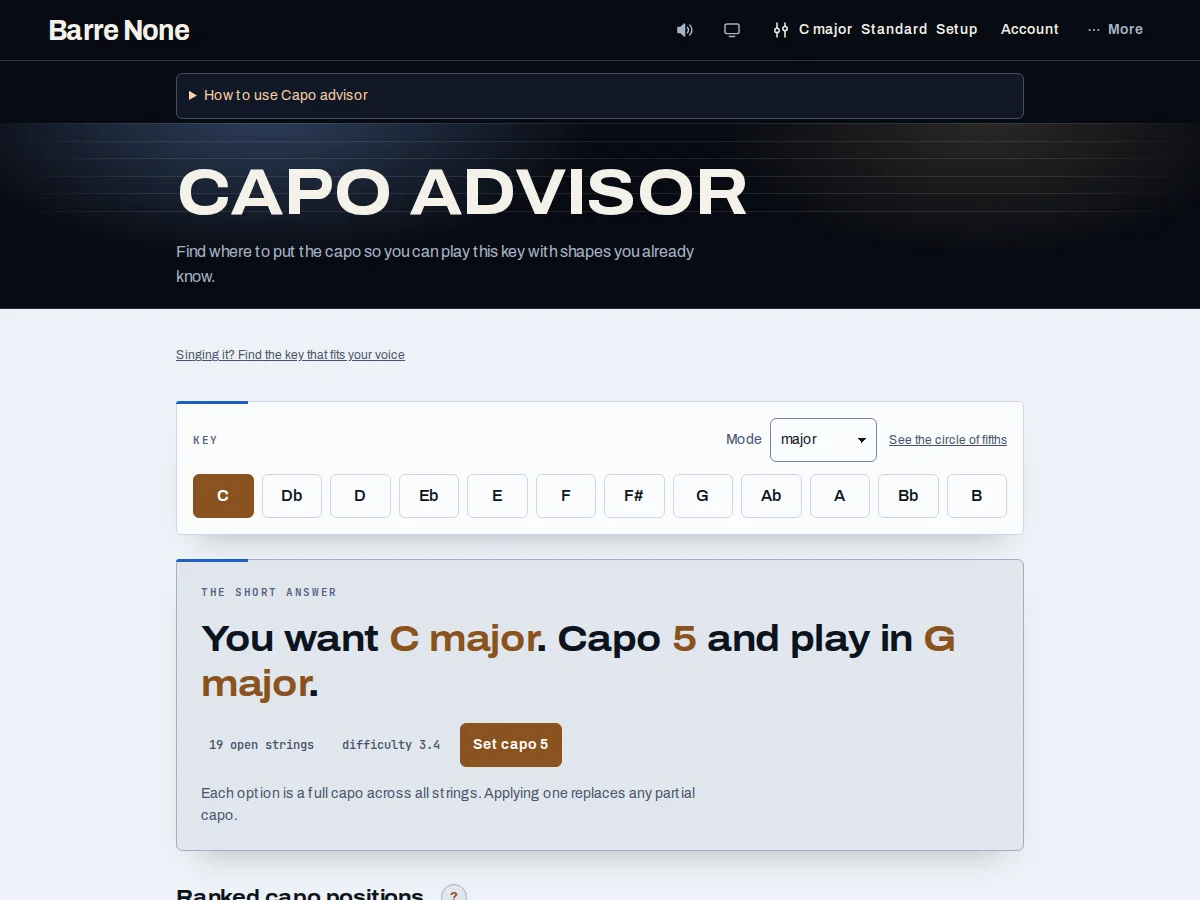
Get started
- Set the sounding tonic and mode in the shared Key picker.
- Open Capo Advisor and read the Short answer above the table.
- Compare rows from capo 0 through capo 7 by Shape key, Open strings, and Difficulty.
- Use Set capo on the recommended full-capo row if it suits your playing.
- Return to Key explorer or Fretboard; the applied capo follows the shared musical state.
How it works
What the ranking means
For each position, the advisor transposes the target down by the capo fret, builds the seven diatonic seventh chords in that shape key, and averages their playability scores. Lower Difficulty is the ranking signal. Open strings are useful context, not the order.
- The table includes None and frets 1–7.
- Ties are resolved by fret order.
Apply advice safely
Advice assumes a full capo. Set capo applies the recommended fret, clears partial coverage, and preserves key, mode, tuning, progression, tempo, and other musical state. Once the full capo matches, the button becomes Applied. The advisor always scores sevenths even if the rest of the app prefers triads.
- A capo changes the sounding pitch of open strings; fret positions remain capo-relative.
- The recommendation is a comparison, not a promise that every player will find it easiest.
A singer handoff
The link “Singing it? Find the key that fits your voice” carries current key, tuning, and capo to Vocal Range. If a saved singer profile and melody endpoints exist, rows can display vocal fit, but vocal fit does not reorder the playability ranking.
Compare shapes for Bb major
- Set the key to Bb major.
- Find the Capo 3 row and compare its G shape key with no capo and other positions.
- Read Difficulty alongside Open strings; Difficulty determines the order.
- Press Set capo 3 if that shape family suits your hand.
What to expect: If you apply that row, the shared app state has capo 3, so a G shape is fingered while the diagrams and captions identify the Bb sound.
Troubleshooting
Why did my partial capo disappear?
Applying advice intentionally clears partial coverage because the recommendation is for a full capo.
Why does the chord-form setting not change this table?
The advisor has a fixed seventh-chord scoring set and hides the shared chord-form picker on this route.
Why is a row with more open strings lower?
Open strings are displayed but do not rank the rows. Difficulty is the average voicing score used for ordering.