Map guitar scales and chord tones on the fretboard
See the neck at once, switch scale families, and isolate chord tones without losing the key context.
Access: Free
Open Fretboard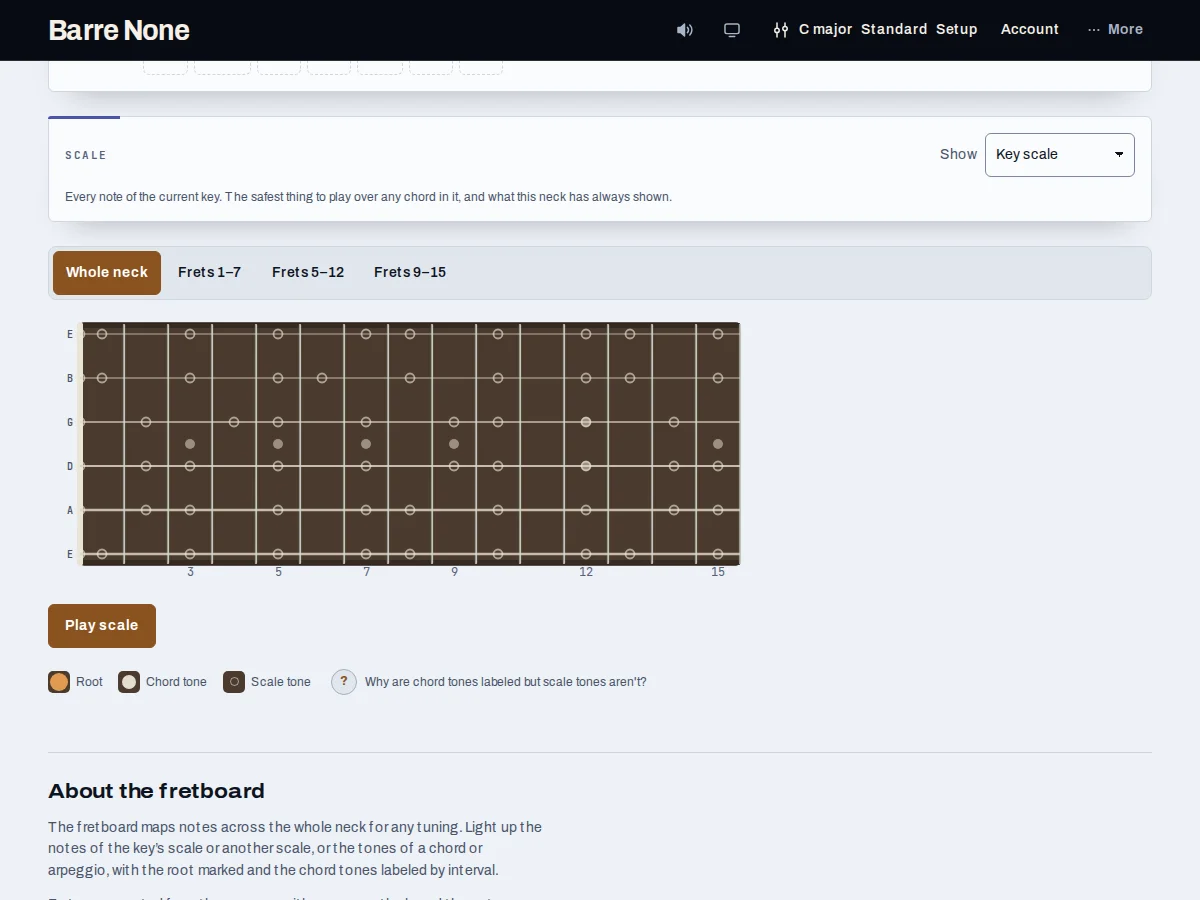
Get started
- Open Fretboard with the current key and tuning.
- Choose a chord if you want its root and chord tones layered on the neck.
- Choose a Scale such as Key scale, major pentatonic, minor pentatonic, or Blues.
- For a non-key scale, choose its independent Scale root or use Relative minor/major.
- Use Fret window to choose Whole neck or one of the preset fret ranges, then practice the visible notes.
How it works
Understand the markers
The largest labeled marker is the root. Other filled markers are chord tones and show interval labels such as 3 or b7. The key scale uses unfilled, unlabeled markers to keep a 15-fret neck readable; a non-key scale labels its degrees instead.
- The default neck spans frets 0–15 and includes normal position dots.
- The legend explains each marker type.
Practice a position
Fret window offers Whole neck, Frets 1–7, Frets 5–12, and Frets 9–15. A position drill can follow its target in a compact five-fret view and restores your chosen window when it ends. A capo can extend the useful position beyond fret 15.
- The page works with six-, seven-, bass, ukulele, and custom string counts.
- Fret numbers are relative to the capo.
Connect scale and harmony
In C major, selecting G7 highlights G as root and labels its chord tones while the surrounding C scale remains visible. To solo with A minor pentatonic over C, select Minor pentatonic and set its scale root to A; the key stays C.
See A minor pentatonic over C
- Set the key to C major.
- Choose Minor pentatonic in the Scale card.
- Set the scale root to A, or press Relative minor.
- Choose Frets 5–12 to study one area of the neck.
What to expect: The neck shows A minor-pentatonic degrees with A roots, while the key and chord context remain C major.
Troubleshooting
Why is there no scale-root picker for Key scale?
The key scale’s root is the key tonic by definition. The independent root control appears only for non-key scales.
Why are key-scale notes not labeled?
That is intentional density control. The legend distinguishes unfilled scale tones from labeled chord tones and non-key scale degrees.
Why can’t I see the target in my selected window?
A position drill follows its target automatically. Outside a drill, choose Whole neck or the window containing the target.