Create printable guitar chord and theory worksheets
Create chord, Roman-numeral, key-signature, and note-location sheets that print consistently and can be shared by exact link.
Access: Pro. Worksheets are generated on your device. Use your browser’s print dialog to print on paper or save as PDF when available.
Open worksheets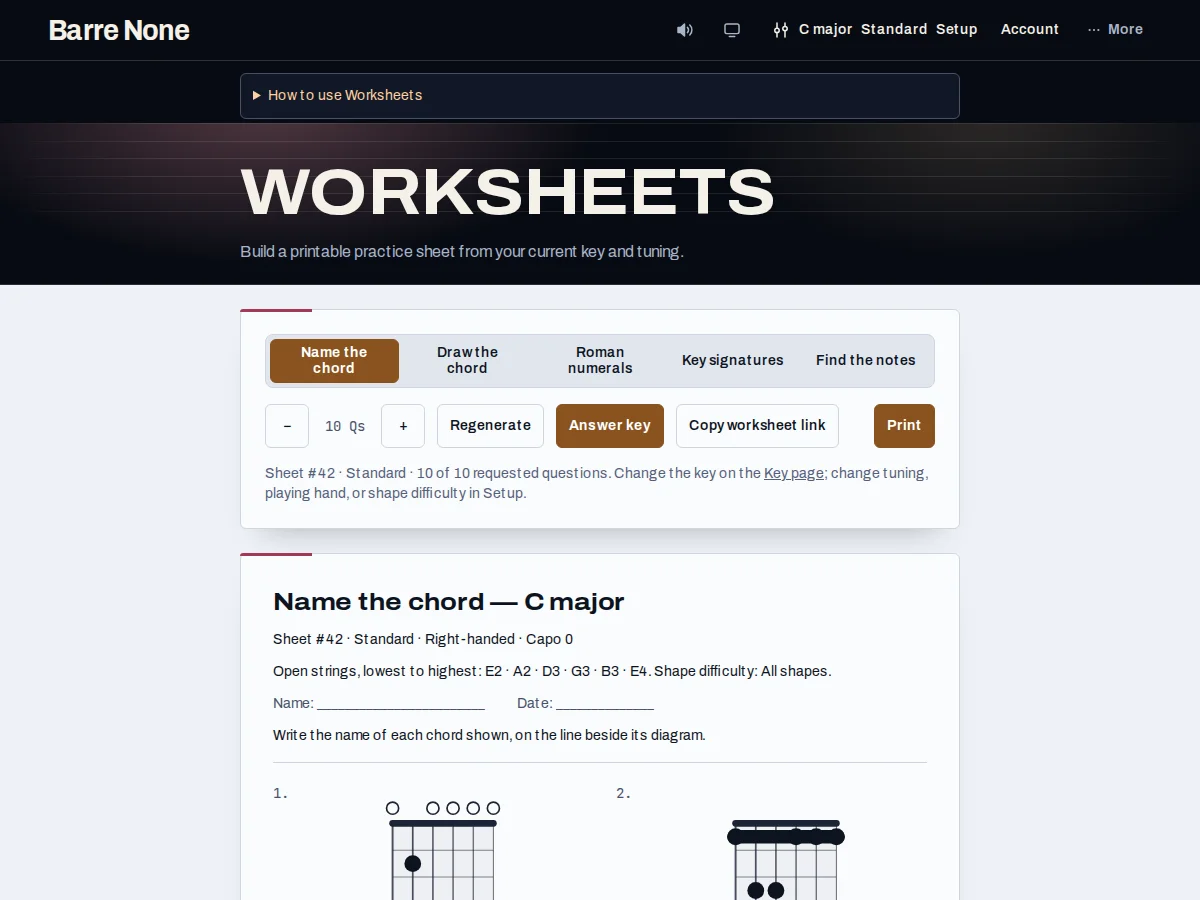
Get started
- Choose a worksheet Type: Name the chord, Draw the chord, Roman numerals, Key signature, or Find the notes.
- Set the question count with − and +, from 1 to 20.
- Use Regenerate when you want a fresh set of questions.
- Turn Answer key on if students or teachers need answers on a separate printed page.
- Check the preview and use Copy worksheet link to preserve defaults, difficulty, handedness, and fret numbering.
- Press Print and choose the browser’s print destination; save as PDF there if needed.
How it works
Five useful formats
Name-the-chord shows a diagram and asks for its symbol. Draw-the-chord gives a name and blank grid. Roman numerals asks you to label a transposable progression. Key signature asks for the seven chords in order. Find-the-notes asks for chord notes and matching frets. Questions use the selected key, tuning, and playable shapes.
Share and print accurately
The worksheet seed, type, count, answer-key state, difficulty, handedness, and fret numbering are carried in the exact copied link. A plain address-bar URL can inherit the recipient’s saved preferences. Key, mode, tuning, handedness, and shape difficulty come from ordinary app state; worksheets always generate at capo 0 and explain that policy in the printed header. The answer key starts on its own page.
- If clipboard access fails, copy the exact link offered by the page.
- A small eligible pool produces a shorter sheet rather than duplicate questions.
Example: a ten-question chord naming sheet
- Choose Name the chord and leave the count at 10.
- Set the key, tuning, and shape difficulty you want students to see.
- Turn Answer key on and press Copy worksheet link.
- Send that link to a colleague, then print from the preview.
What to expect: The colleague receives the same seeded questions and layout, while the answer key prints as a separate page for checking.
Troubleshooting
A copied worksheet differs on another device.
Use Copy worksheet link, not only the address bar. The copied link explicitly includes default difficulty, handedness, and fret-numbering settings.
The printed page is blank or includes controls.
Use the page’s Print action after the preview has updated and let the browser print dialog handle the destination. The print layout intentionally hides controls and keeps only the worksheet section.
A chosen tuning has no questions.
Questions need playable shapes in the selected tuning. Try All shapes, another worksheet type, or a tuning with eligible voicings; an unusable combination is reported rather than invented.