Plan a guitar gig or rehearsal event
Attach a set to a dated gig or rehearsal, invite collaborators, and prepare an offline frozen show.
Access: Pro owners can create solo gigs and rehearsals locally. Shared events, invitations, and responses require the account service and a connection. Invited free viewers can read and respond; prepared shows remain usable offline.
Open Events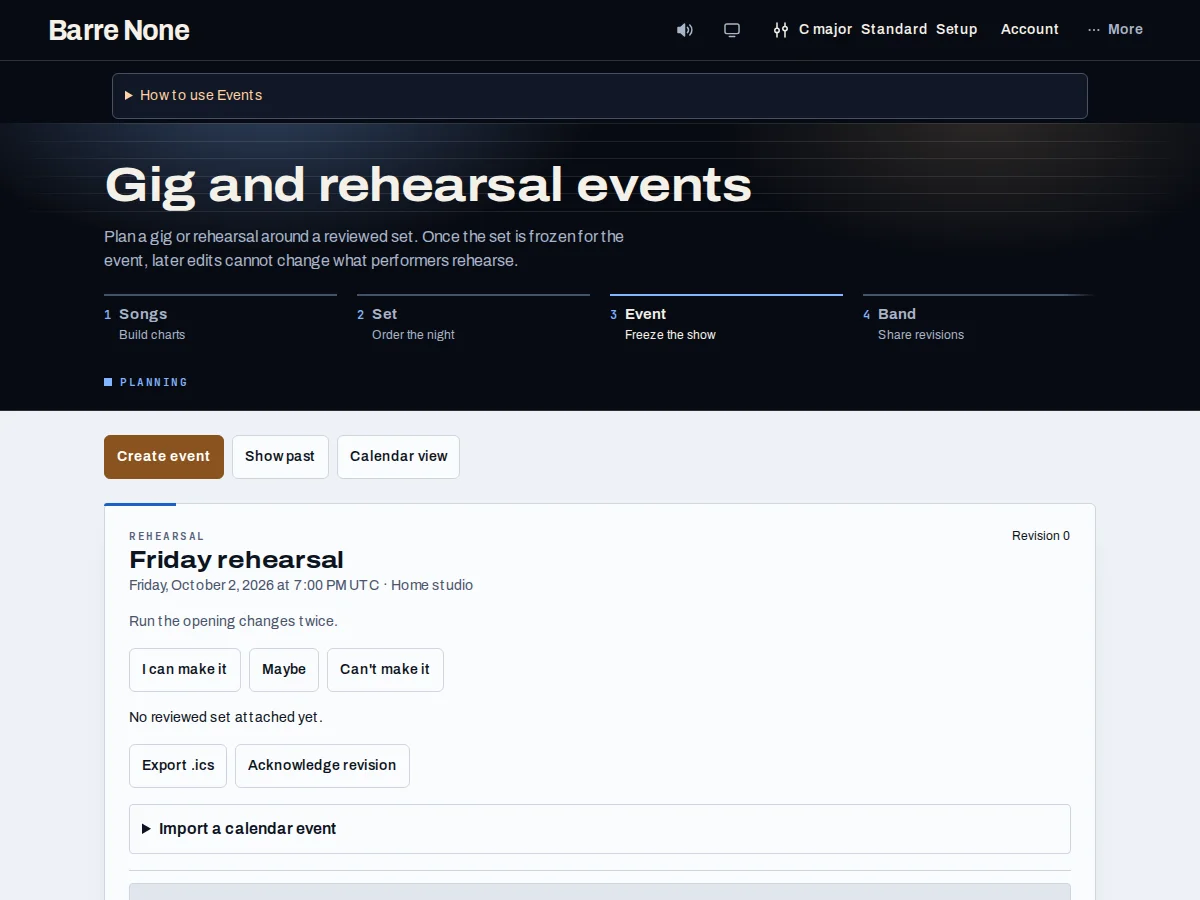
Get started
- Open Events and choose a solo event, or choose “Load workspaces” to select an authorized workspace.
- Enter the venue, start/end time, set, and notes, then save the event.
- Use “Prepare show offline” to freeze the event’s set and download its JSON bundle.
- For collaborators, review the guest role and choose “Queue invitation”; later choose “Send pending actions” explicitly.
- Use Calendar view, “Show past”, or the downloaded packet to find the event when connectivity is unavailable.
How it works
A prepared performance
Preparing a show saves the event and the exact set version you reviewed. Changing the live set later cannot change that prepared event. The packet is a deliberate handoff file, not a background cloud backup.
The event list shows 20 items per page. Calendar view orders by date, and an end time on the following calendar date is handled as an overnight event.
Offline actions
The Offline chip means local edits remain safe. Cloud actions explain their effect before you press them. Invitations and guest responses are queued, not silently retried; choose “Send pending actions” after reconnecting and inspect any uncertain result.
Manual backup includes owned events, frozen shows, and recaps. Standalone prepared-show collections remain local/manual-backup data and do not enter automatic sync.
Review before publishing
A newer online version does not replace a local draft. Use “Review cloud version” to compare, then save or deliberately reload. Event membership and invitations require an authorized account, so a signed-out page cannot promise a live roster.
Calendar files are an export/import aid. They do not grant another person access to your event or send an invitation by themselves.
Prepare a rehearsal packet
- Create “Thursday rehearsal” and select the saved set “Acoustic trio”.
- Set the time and venue, save, then choose “Prepare show offline”.
- Open the downloaded JSON only as a handoff or recovery file.
What to expect: The device has a frozen copy that can be used without connectivity; later set edits affect future preparations, not this packet.
Troubleshooting
An invitation is stuck pending.
Reconnect and choose “Send pending actions” explicitly. If delivery is uncertain, inspect the status before attempting another send.
The event list looks empty offline.
Offline access covers data already prepared or cached on this device. Cloud retrieval and new invitations need connectivity and authorization.
A set change did not appear in the prepared show.
That is expected for a prepared show. Prepare a new show after saving the live set.