Use Barre None offline and back up your guitar library
Keep guitar tools ready offline, export your songs and set lists, and restore a saved library when moving browsers or devices.
Access: Local-first tools work without sign-in after their route has been visited and cached. Backup download/restore is a browser action; cloud sync, account refresh, and new invitations need connectivity.
Open backup controls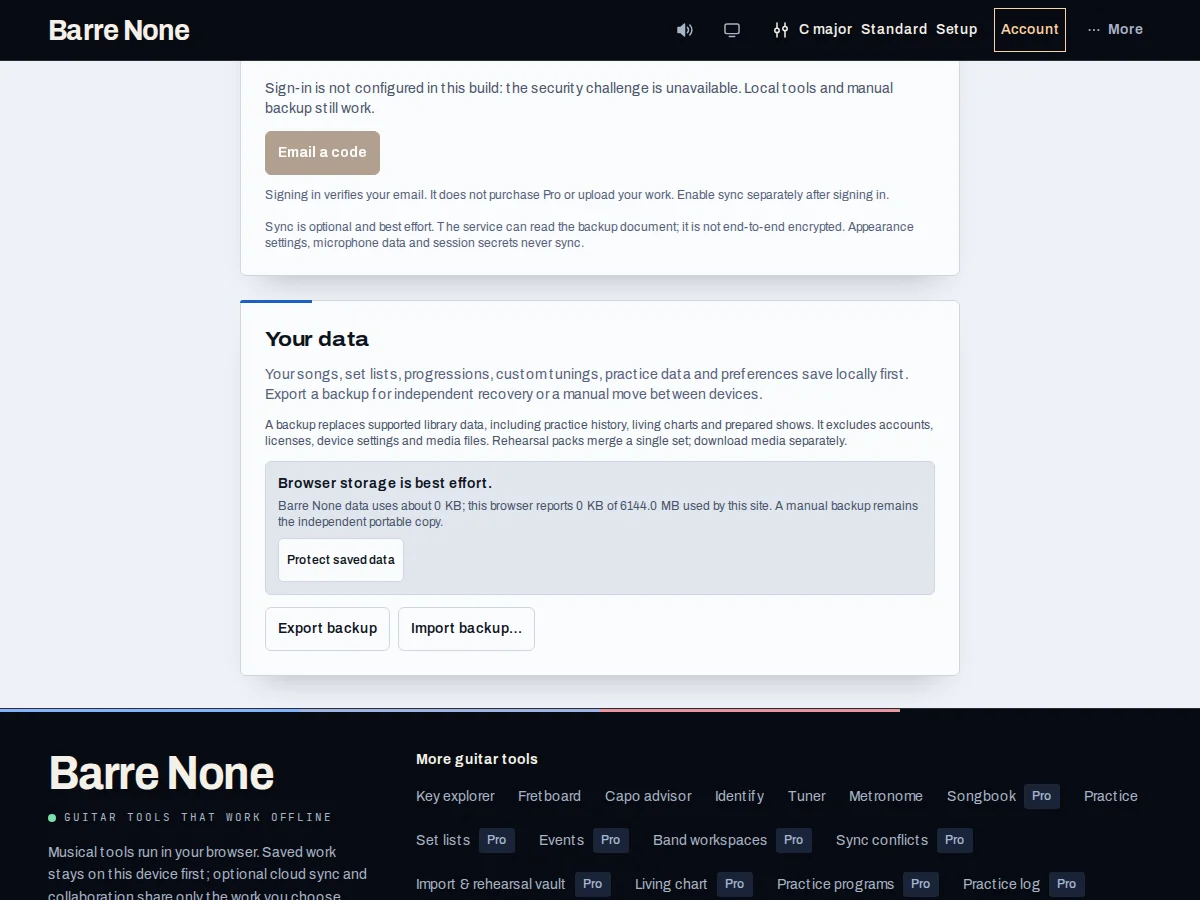
Get started
- Visit the tools you need while online so the installed app can cache their route assets.
- Check the global Offline chip and continue local edits; avoid assuming an unvisited route is cached.
- Open Account and choose the manual backup download before switching browsers or restoring.
- Inspect the backup date/content, then confirm restore only when replacing the destination library is intended.
- After reconnecting, review pending cloud work and choose explicit sync/send actions rather than relying on an automatic retry.
How it works
What stays local
URL musical state, appearance choices, local songs, sets, practice history, and many drafts are browser data. Audio and microphone state do not sync. A pinned assignment or living-chart media copy is a local snapshot, not a renewed authorization.
The service worker installs after the first online visit and retains an interactive shell. It does not make every route or cloud action available without its required data and authorization.
Backup is replacement
Manual backup intentionally includes more device data than automatic sync, including recovery material and prepared-show data where documented. A full restore replaces the library at that point in time; it does not additive-merge one row.
Before restoring, download the current destination backup. For a selective merge, use an import preview or conflict recovery instead.
Offline cloud boundaries
Offline local edits are safe and pending cloud work is labeled. Account refresh, sign-in verification, new assignment-token redemption, cloud uploads, invitations, and submission require connectivity.
A valid cached license can remain usable during a vendor outage, but a failed authentication cannot create Pro access.
Prepare a browser move
- Visit Songbook, Setlists, and Practice online.
- Download a manual backup from Account and keep the file outside the browser.
- On the new browser, export any existing library first, then review and confirm the restore.
What to expect: The new browser receives the saved snapshot while the old browser remains untouched until you choose to remove or sign out.
Troubleshooting
A visited page still cannot load offline.
The shell may still be installing or the route may need an online first visit. Reconnect, wait for the ready indication, and try again.
Restore did not merge with my destination data.
That is intentional: restore replaces the library snapshot. Restore into a safe browser or use import for an additive, previewed copy.
A cloud action is stuck pending.
Reconnect and use the named action such as “Sync now” or “Send pending actions”. Inspect the result; uncertain sends are not silently retried.